Table of Contents
What is CapCut?
CapCut is ByteDance's AI-powered video editor that has quietly become the most popular video editing app in the world, with over one billion downloads and hundreds of millions of monthly active users. Originally launched as JianYing in China in 2019, it was rebranded for global markets and has since become the default editing tool for TikTok creators, Instagram Reels producers, and YouTube Shorts makers. We analyzed CapCut across its free tier, Standard plan, and Pro subscription on mobile, desktop, and web to evaluate whether it truly delivers professional-quality editing at consumer-friendly prices.
The answer is a resounding yes for short-form content. CapCut's genius lies in making complex video editing feel effortless. Auto-captions in 130+ languages, AI avatars, one-click background removal, trending templates, motion tracking, and smart reframing all work with remarkable speed and accuracy. The AI does 90% of the tedious work — subtitle timing, aspect ratio conversion, noise reduction — while you focus on creative decisions. For anyone producing content under 15 minutes, CapCut is the most efficient video editor available.
The free tier is genuinely generous, offering capabilities that competing tools charge for. Auto-captions, basic AI tools, keyframe animation, and 1080p export are all included without paying anything. Pro unlocks 4K export, the complete asset library, advanced AI features like camera tracking and vocal isolation, 1TB cloud storage, and watermark-free premium templates. At $19.99/month or $179.99/year, it represents strong value for regular content creators.
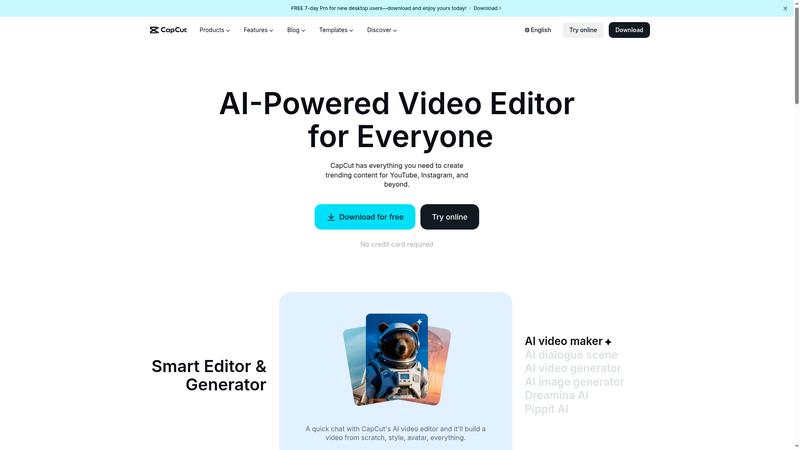
Key Features & Capabilities
CapCut's feature set is remarkably comprehensive for an app that most people initially discover through TikTok:
- Auto-captions in 130+ languages
- AI avatars and text-to-speech
- One-click background removal
- Camera tracking and motion tracking (Pro)
- Vocal isolation and noise reduction
- 4K/60fps HDR export (Pro)
- Trending templates library
- Cross-platform (iOS, Android, desktop, web)
The auto-caption feature is CapCut's crown jewel. Speech-to-text accuracy is excellent across major languages, and the caption styling options — animated text, emoji integration, word-by-word highlighting — produce the engaging subtitle style that dominates social media. What would take 30-60 minutes to do manually in Premiere Pro takes literally one click in CapCut. For accessibility and engagement, this single feature justifies using the tool.
The template library is massive and constantly updated with trending formats. Find a viral format on TikTok, and there is almost certainly a CapCut template for it within days. This tight integration with TikTok trends gives creators a significant speed advantage — you can produce trend-aligned content in minutes rather than hours. The templates are customizable, well-designed, and cover everything from product showcases to storytelling formats.
AI avatars allow you to create faceless video content by generating a digital presenter that lip-syncs to your script. The quality has improved substantially, producing results that are usable for educational content, product explanations, and social media posts. Combined with text-to-speech in multiple voices and languages, you can produce video content without ever recording yourself.
Performance & Quality Analysis
We analyzed CapCut across four content types: TikTok-style short videos, Instagram Reels, YouTube Shorts, and longer-form content. The tool excels at the first three and struggles with the fourth.
For short-form content under 3 minutes, CapCut is exceptional. The editing workflow is fast, intuitive, and produces results that look polished and professional. Effects render quickly, transitions are smooth, and the AI features work reliably. We produced a complete, caption-styled, music-synced 30-second video in under 5 minutes — a task that would take 30+ minutes in traditional editing software.
Export quality at 1080p (free) is good, and at 4K/60fps (Pro) it is excellent. Colors are vibrant, compression artifacts are minimal, and the rendering speed is fast even on mid-range hardware. The cross-platform sync works well — start editing on your phone during a commute and finish on desktop at home without losing progress.
For content beyond 15 minutes, CapCut becomes unreliable. The app was designed for short-form content, and it shows. Longer projects experience instability, slow rendering, and limited timeline management. If you need to edit podcasts, documentaries, or YouTube long-form, look at DaVinci Resolve, Premiere Pro, or Final Cut Pro instead. CapCut knows its lane and stays in it.
Where It Falls Short
The pricing restructure has frustrated long-time users. What was previously $9.99/month Pro jumped to $19.99/month, with a new Standard tier inserted at $5.99/month that is mobile-only and lacks the advanced AI tools. The value at Pro is still strong, but the way the change was communicated — quietly and without warning — damaged trust with the creator community.
The content licensing terms deserve attention. CapCut's Terms of Service grant ByteDance a broad license to content uploaded to their cloud, which concerns creators working with branded or proprietary content. For personal social media content this is standard, but for professional or commercial work, read the terms carefully and consider keeping sensitive projects local.
Professional editing features are limited. Color grading is basic, multi-camera editing is absent, audio mixing is rudimentary, and there is no plugin ecosystem. CapCut prioritizes speed and ease over depth and control. For creators who need precise professional tools, this is a hard ceiling that no amount of AI features can overcome.
Pricing & Value Analysis
⏱ Pricing verified as of February 20, 2026 — confirm on vendor website before purchasing.
The free tier includes full basic editing, auto-captions, basic AI tools, templates, and 1080p export with no watermark on user content. Standard at $5.99/month (mobile-only) removes watermarks on premium templates and adds some effects. Pro at $19.99/month or $179.99/year unlocks 4K export, all AI tools (camera tracking, vocal isolation, noise reduction), the complete asset library, 1TB cloud storage, and commercial licensing. Teams at $24.99/month adds collaborative editing and shared project management.
For the target audience — social media creators producing short-form content — CapCut Pro at $179.99/year ($15/month) is excellent value. The combination of AI-powered editing, massive template library, and cross-platform support eliminates the need for multiple separate tools. Compare that to Adobe Premiere Pro at $22.99/month or Final Cut Pro at $299 one-time, and CapCut delivers 90% of what most creators need at a fraction of the cost.
Best For
TikTok, Instagram Reels, and YouTube Shorts creators who want fast, AI-powered video editing with trending templates and auto-captions — all without needing professional editing skills
Pros & Cons
What We Love
- Auto-captions in 130+ languages with animated styling — one click
- Free tier is genuinely generous with no watermarks on your content
- Trending template library is massive and constantly updated
- Cross-platform editing (mobile, desktop, web) with seamless sync
- AI avatars and text-to-speech enable faceless content creation
- Fastest workflow from raw footage to polished short-form video
Watch Out For
- Unstable for videos over 15 minutes — designed for short-form only
- Price jumped from $9.99 to $19.99/mo with poor communication
- Content licensing terms grant ByteDance broad rights to uploaded content
- Limited professional features — basic color grading, no multi-cam
- Standard plan is mobile-only with no desktop access
🔗 More AI Video Reviews
🔍 Popular in Other Categories
Our Verdict — 8.8/10
CapCut earns an 8.8/10 — the best short-form video editor available, period. The combination of powerful AI tools, an enormous template library, and a workflow optimized for social media content makes it indispensable for TikTok, Reels, and Shorts creators. The free tier alone outperforms many paid competitors. The limitations are real — it is not built for long-form content, the pricing restructure was poorly handled, and the content licensing terms deserve scrutiny — but within its lane, nothing else comes close to CapCut's speed, ease, and output quality.