Table of Contents
What is Flux AI?
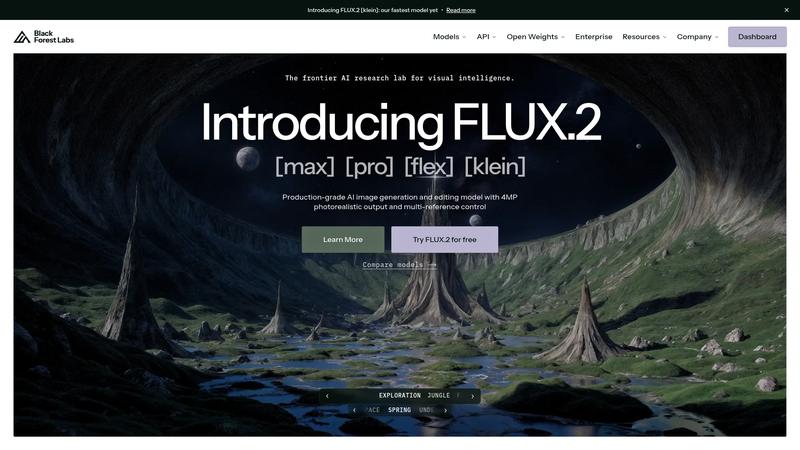
Flux AI is the image generation model family from Black Forest Labs, founded by the core team behind the original Stable Diffusion. After leaving Stability AI, the team set out to build what they considered the next evolution of open-source image generation — and Flux delivers on that ambition. The model comes in three variants: Flux.1 Pro (highest quality, API-only), Flux.1 Dev (open-weight, for developers), and Flux.1 Schnell (ultra-fast, open-source). Since its launch, Flux has rapidly gained adoption as a serious alternative to Midjourney and DALL-E 3, particularly among developers and technical users who value open-source access and customization.
Key Features & Capabilities
- Flux.1 Pro, Dev, and Schnell model variants
- Open-source weights for local deployment
- Exceptional prompt following and text rendering
- Fast generation (Schnell generates in ~1 second)
- Available via Replicate, fal.ai, and other API providers
Performance & Quality Analysis
Image quality from Flux.1 Pro rivals Midjourney v6 in many categories — photorealism, artistic styles, and compositional accuracy are all excellent. Where Flux particularly shines is prompt adherence: it follows complex, detailed prompts more faithfully than most competitors, reducing the trial-and-error cycle. Text rendering in images, historically a weakness of diffusion models, is noticeably better in Flux than in Stable Diffusion XL though still not quite at DALL-E 3 levels. Flux.1 Schnell is the speed demon — generating images in roughly one second on modern hardware. Quality is lower than Pro but still impressive for the speed, making it ideal for rapid prototyping and iteration. Flux.1 Dev sits in the middle, offering a good balance of quality and openness for fine-tuning and customization. The open weights mean you can run it locally, fine-tune on your own data, and integrate it into custom pipelines without per-image API costs.
User Experience & Interface
Flux is not a consumer product with a polished UI — it is a model you access through third-party interfaces. You can use it via API providers like Replicate and fal.ai, through ComfyUI workflows, or run it locally with the appropriate hardware. This means the user experience varies dramatically depending on how you access it. For developers comfortable with APIs and local deployment, Flux is a dream. For non-technical users who want a simple type-and-generate interface, Midjourney or DALL-E 3 remain more accessible. The growing ecosystem of Flux-compatible tools and UIs is improving accessibility, but it is still primarily a technical user's tool.
Where It Falls Short
The biggest barrier is accessibility. Unlike Midjourney's Discord interface or DALL-E 3's ChatGPT integration, Flux requires either API usage or local setup. Running Flux locally requires a powerful GPU (minimum 12GB VRAM for Dev, 24GB+ recommended for Pro-level quality). The model also lacks some features that competitors offer out of the box — inpainting, outpainting, and image-to-image workflows require additional tooling. Community LoRA fine-tunes help fill gaps, but the ecosystem is younger and less mature than Stable Diffusion's.
Pricing & Value Analysis
⏱ Pricing verified as of February 26, 2026 — confirm on vendor website before purchasing.
Flux.1 Schnell is fully open-source and free to run locally if you have the hardware. Flux.1 Dev is open-weight for non-commercial use, also free locally. Flux.1 Pro is API-only, typically priced at $0.03-0.06 per image through providers like Replicate and fal.ai. For high-volume generation, running Dev locally is essentially free beyond electricity costs. For occasional use, API pricing is competitive — generating 1,000 images costs roughly $30-60 via Pro, compared to Midjourney's $10/mo for approximately 200 images on the Basic plan. The value equation favors Flux for technical users with existing GPU infrastructure.
Best For
Developers, designers, and AI enthusiasts who want high-quality open-source image generation with full control
Pros & Cons
What We Love
- Image quality rivals Midjourney and DALL-E 3 at the Pro tier
- Open-source and open-weight models allow full customization and local deployment
- Exceptional prompt following — complex prompts produce accurate results consistently
- Schnell variant generates images in ~1 second for rapid iteration
- No subscription required — free locally or pay-per-image via API
Watch Out For
- Not beginner-friendly — requires API knowledge or local GPU setup
- Running locally needs powerful hardware (12GB+ VRAM minimum)
- Lacks built-in inpainting, outpainting, and editing features
- Ecosystem and community tooling still maturing compared to Stable Diffusion
🔗 More AI Design Reviews
🔍 Popular in Other Categories
Our Verdict — 8.3/10
Flux AI earns an 8.3/10 — a technically impressive image generation model that gives Midjourney and DALL-E 3 real competition, especially for users who value open-source access and customization. It is not the most accessible option for casual users, but for developers, designers with technical skills, and anyone who wants full control over their image generation pipeline, Flux represents the cutting edge of open-source AI art. The combination of quality, speed, and openness makes it a compelling choice for the right audience.