Table of Contents
What is Kaiber?
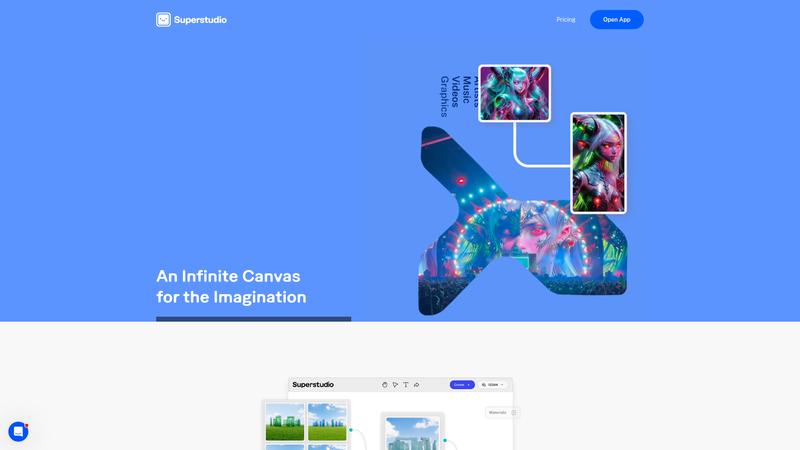
Kaiber is an AI video generation platform focused on creative and artistic content rather than photorealism. While tools like Sora and Runway ML chase cinematic realism, Kaiber leans into stylized, abstract, and music-driven visual content. It gained significant traction with musicians after Linkin Park used it for a music video, establishing itself as the go-to tool for AI-powered music visuals. The platform lets you generate videos from text prompts, transform existing images into animated sequences, or create audio-reactive visuals that pulse and morph in sync with your music. It occupies a distinct creative niche that larger AI video tools don't specifically target.
Key Features & Capabilities
- Text-to-video generation with multiple style presets
- Image-to-video animation and transformation
- Audio-reactive video that syncs to music beats
- Storyboard mode for multi-scene narratives
- Style transfer and motion controls
Performance & Quality Analysis
For its intended use case — artistic, stylized video content — Kaiber produces genuinely compelling output. Audio-reactive video generation is the standout feature: upload a track and Kaiber generates visuals that pulse, morph, and transition with the beat. The results feel intentionally artistic rather than generically AI-produced, which is exactly what musicians and visual artists want. Text-to-video quality varies significantly by style preset. Some presets produce beautiful, coherent sequences while others result in visual soup. Expect to experiment extensively before finding combinations that work for your aesthetic. Storyboard mode lets you plan multi-scene narratives, but transitions between scenes can be jarring, and maintaining visual consistency across a longer sequence remains challenging. Compared to Runway ML or Sora, Kaiber cannot compete on realism or cinematic quality. It is not trying to — but users expecting photorealistic output will be disappointed.
User Experience & Interface
The web interface is colorful and inviting, clearly designed for creative users rather than technical ones. The generation workflow is straightforward: choose your input (text, image, or audio), select a style, adjust settings, and generate. Preview clips render quickly, letting you iterate on styles and prompts without long waits. The storyboard editor is intuitive for planning multi-scene projects. Download options cover common formats and resolutions. The main friction point is the unpredictability of output — you often need multiple attempts to get results you are happy with, which can eat through your generation credits quickly.
Where It Falls Short
Output consistency is the primary weakness. Two generations with identical settings can produce noticeably different results, making it hard to plan projects reliably. Video length is limited — most generations cap at 15-30 seconds, requiring you to stitch together multiple clips for longer content. The style presets, while varied, can feel limiting once you have used them extensively. There is no fine-grained control over motion, composition, or specific visual elements. Character consistency across frames is weak — faces and objects morph unpredictably. For professional production work, Kaiber is a starting point for inspiration rather than a finished output tool.
Pricing & Value Analysis
⏱ Pricing verified as of February 26, 2026 — confirm on vendor website before purchasing.
The Explorer plan at $10/mo gives you basic generation with limited credits. The Pro plan at $25/mo significantly increases generation limits and unlocks higher resolution output. Credits get consumed quickly if you iterate extensively — and you will need to iterate, given the inconsistency of outputs. For musicians creating album visuals or social media creators making short-form content, the $10-25/mo range is reasonable. For more demanding video production needs, tools like Runway ML offer more control and consistency at a similar price point.
Best For
Musicians, social media creators, and artists who want AI-generated visuals for music videos and creative content
Pros & Cons
What We Love
- Audio-reactive video generation is unique and produces genuinely creative results
- Strong niche positioning for music videos and artistic visual content
- Accessible interface designed for creative users, not developers
- Multiple input modes — text, image, and audio — offer creative flexibility
- Fast preview generation enables quick iteration on styles and concepts
Watch Out For
- Output quality is inconsistent — requires multiple attempts for good results
- Cannot compete with Runway ML or Sora on realism or cinematic quality
- Video length is limited to short clips without manual stitching
- Character and object consistency across frames is unreliable
- Generation credits deplete quickly with experimental workflows
🔗 More AI Video Reviews
🔍 Popular in Other Categories
Our Verdict — 7.5/10
Kaiber earns a 7.5/10 — a creative-first AI video tool that excels in its niche but struggles with consistency and polish. If you are a musician wanting AI-powered visuals, a social media creator exploring artistic content, or anyone who values creative expression over photorealism, Kaiber offers something no other AI video tool quite matches. For professional video production, cinematic content, or anything requiring visual consistency, look to Runway ML, Sora, or Seedance instead.