Table of Contents
What is Napkin AI?
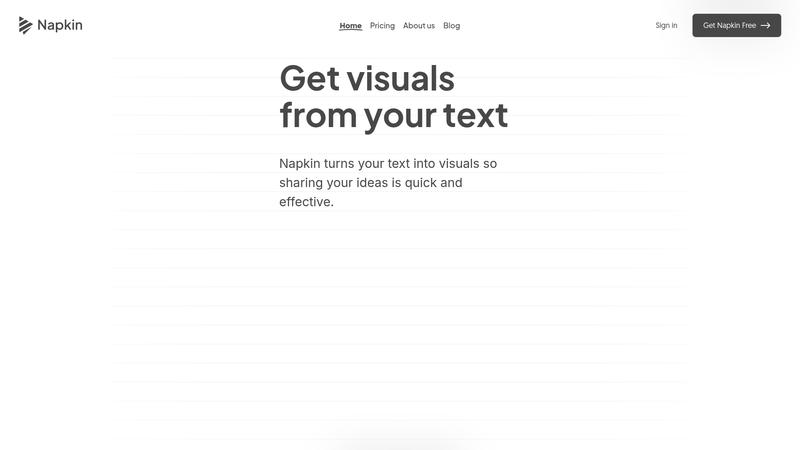
Napkin AI is a text-to-visual AI tool that does one thing exceptionally well: it takes your written content and transforms it into professional diagrams, flowcharts, infographics, and charts in seconds. No design skills required, no drag-and-drop fiddling, no template hunting. Paste your text, click a button, and Napkin generates multiple visual options that accurately represent the structure and relationships in your content. We analyzed it across business presentations, blog post graphics, educational materials, and social media content to evaluate whether it truly delivers on its promise of effortless visual creation.
The tool fills a gap that has frustrated professionals for years. You know the content you want to communicate — the process steps, the comparison points, the hierarchy — but translating that into a polished visual has always required either design skills you do not have or hours in PowerPoint moving boxes and arrows. Napkin AI eliminates that gap entirely. The AI reads your text, understands the relationships between ideas, and generates visually coherent diagrams that are immediately usable in professional contexts.
What makes Napkin AI particularly compelling is its laser focus. It is not trying to be Canva or Figma. It is not a general-purpose design tool. It is specifically optimized for turning structured text into structured visuals, and within that niche, nothing else comes close to its speed and ease of use. From text input to exportable graphic, the entire workflow takes under two minutes.
Key Features & Capabilities
Napkin AI's feature set is streamlined around the text-to-visual workflow:
- AI text-to-visual generation (30+ types)
- One-click brand studio (custom colors/fonts)
- Flowcharts, mind maps, timelines
- Comparison charts and matrices
- Real-time team collaboration
- Export as PNG, SVG, PDF, PowerPoint
- Sketch-to-diagram refinement
- Inline commenting and feedback
The core generation workflow is remarkably intuitive. Write or paste your text content into the editor, select the passage you want to visualize, and click the spark icon. Napkin analyzes the text structure — lists become comparison charts, processes become flowcharts, hierarchies become organizational diagrams — and generates multiple visual options. Each option uses a different layout approach, so you can choose the one that best fits your context. The AI handles approximately 95% of the design work; you come through at the end to fine-tune colors, fonts, or icon choices if desired.
The Brand Studio is essential for professional use. Upload your brand colors, fonts, and preferences once, and every generated visual can be instantly styled to match your brand identity with a single click. For teams producing consistent visual content across presentations, social media, and documentation, this feature alone saves significant time and ensures brand coherence without involving a designer.
Collaboration features are well-implemented. Share a Napkin via link, set access levels for team members, and collaborate with real-time editing and inline commenting. Changes sync instantly, and the commenting system allows feedback directly on specific visual elements rather than in a separate channel. For teams working on presentations or content together, this workflow is efficient and low-friction.
Performance & Quality Analysis
We analyzed Napkin AI across four use cases: business presentations (process flows, org charts, strategy frameworks), blog post graphics (step-by-step guides, comparison visuals), educational materials (concept maps, timelines), and social media content (infographic-style posts). Performance was consistently strong with a few important caveats.
For structured text — bullet points, numbered lists, process descriptions, comparison tables — Napkin AI is extraordinary. We pasted a six-step onboarding process description and received a polished flowchart in under 10 seconds that accurately represented every step and transition. A comparison of four product tiers became a clean matrix chart. An organizational hierarchy became a professional org chart. The AI's comprehension of text structure is genuinely impressive, and the visual output quality is immediately presentable in professional settings.
For less structured or more abstract content, results were more mixed. Narrative paragraphs without clear structural elements produced visuals that felt forced — the AI would extract key phrases and arrange them into a diagram, but the result sometimes misrepresented the relationships between ideas. Napkin AI works best when your text has inherent structure (lists, steps, comparisons, hierarchies) and struggles when asked to visualize purely conceptual or argumentative content.
Export quality is excellent. PNGs are high-resolution and presentation-ready. SVGs allow further editing in tools like Figma or Illustrator. PDF export is clean, and the PowerPoint export integrates smoothly into existing slide decks. The ability to remove Napkin branding from exports is limited to paid plans, which is the expected tradeoff at this price point.
Where It Falls Short
Napkin AI is desktop-only for creation and editing. You can view existing Napkins on mobile, but generating and editing visuals requires a desktop browser. For a tool that professionals might want to use during meetings or while reviewing content on the go, this is a meaningful limitation. Mobile editing support is reportedly planned but not yet available.
There are no native integrations or API access. You cannot embed Napkin AI into your existing workflow tools — no Slack integration, no Figma plugin, no automatic generation from Google Docs or Notion content. Every visual requires manually pasting text into the Napkin editor, generating, and then exporting. For teams that want to automate visual creation as part of a content pipeline, this manual step becomes a bottleneck.
The free plan's 500 weekly credit limit is tight for regular use. Each word selected for generation costs approximately one credit, meaning a 200-word passage consumes 200 credits. For someone generating multiple visuals per day, the free tier runs out quickly. The paid plans at $12/month (10,000 credits) and $30/month (30,000 credits) are reasonable but represent yet another SaaS subscription to manage.
Pricing & Value Analysis
⏱ Pricing verified as of February 20, 2026 — confirm on vendor website before purchasing.
The free plan provides 500 AI credits per week, access to all core editing tools, and export with Napkin branding. The Plus plan at $12/person/month includes 10,000 monthly credits, brand studio access, no watermarks on exports, and priority support. The Pro plan at $30/person/month offers 30,000 monthly credits, advanced customization, and all premium features. Enterprise pricing is custom with dedicated support and higher limits.
At $12/month, the Plus plan is competitively priced for the time it saves. If you currently spend even one hour per week creating diagrams in PowerPoint or Canva, Napkin AI pays for itself in the first week. Compared to hiring a designer for business graphics or subscribing to more expensive design tools, the value proposition is strong. The 25% discount for annual billing makes it even more compelling for committed users.
Best For
Content creators, marketers, educators, and business professionals who need to turn written content into professional visuals quickly — without design skills or expensive tools
Pros & Cons
What We Love
- Text-to-visual generation is genuinely magical — paste and click
- Output quality is immediately presentation-ready
- Near-zero learning curve — anyone can use it in minutes
- Brand Studio ensures consistent visual identity across all outputs
- Multiple export formats including SVG and PowerPoint
- Real-time collaboration with inline commenting
Watch Out For
- Desktop-only for creation — no mobile editing support yet
- No native integrations or API — manual paste-and-export workflow
- Struggles with abstract or unstructured content
- Free plan credits deplete quickly with regular use
- Visuals can feel template-like for very complex concepts
🔗 More AI Design Reviews
🔍 Popular in Other Categories
Our Verdict — 8.4/10
Napkin AI earns an 8.4/10 by solving a specific, universal pain point better than anything else on the market: turning your written ideas into professional visuals without touching a design tool. The speed is remarkable, the output quality is genuinely impressive, and the learning curve is effectively zero. The limitations — desktop-only, no integrations, credit-based pricing — are real but manageable for most users. If you regularly need diagrams, flowcharts, or infographics and do not have a designer on call, Napkin AI is the most efficient solution available. It does one thing, and it does it exceptionally well.