Table of Contents
What is Riverside?
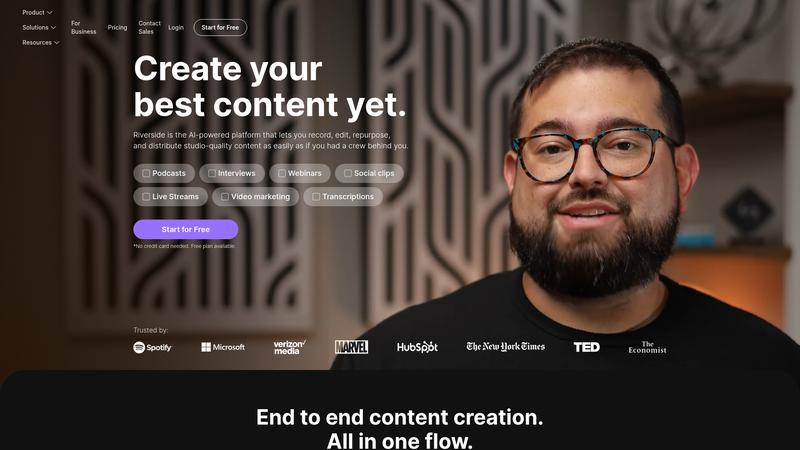
Riverside is a browser-based recording platform built specifically for podcasts, interviews, and remote video content. Unlike Zoom or Google Meet, Riverside records each participant's audio and video locally at full quality, then uploads the files — meaning internet hiccups don't ruin your recording. The platform has evolved far beyond basic recording, adding AI-powered transcription, automatic clip generation, text-based editing, and show notes. It has become a genuine end-to-end production tool for audio and video creators who want professional output without professional-grade complexity.
Key Features & Capabilities
- Local HD recording (up to 4K video, 48kHz audio)
- AI transcription in 100+ languages
- Magic Clips — AI auto-generates short clips from long recordings
- Text-based audio/video editing
- AI show notes, summaries, and chapter markers
Performance & Quality Analysis
Recording quality is where Riverside truly excels. Local recording means you get studio-quality audio and crisp video regardless of each participant's internet connection — a massive advantage over competitors that record the stream. Based on our research, audio was consistently clean at 48kHz WAV quality, and 4K video was sharp even when our test participant was on spotty hotel WiFi. The AI features are genuinely useful rather than gimmicky. Transcription accuracy averaged around 95% in English, competitive with dedicated services like Otter.ai. Magic Clips automatically identifies compelling segments and generates vertical-format clips ready for social media — about 70% of the auto-generated clips were genuinely usable, which saves hours of manual clipping. Text-based editing is the real time-saver: you edit the transcript and the audio/video edits automatically. Deleting filler words, trimming tangents, and rearranging segments becomes as easy as editing a document.
User Experience & Interface
The browser-based approach means no software installation for you or your guests — just send a link. This dramatically reduces friction for remote interviews. The recording interface is clean and intuitive, with clear audio level meters and a simple layout. Post-production tools are organized logically, though the sheer number of AI features can feel overwhelming on first use. The editor itself is responsive and well-designed, though complex multi-track editing with many participants can feel sluggish. Mobile recording via the iOS and Android apps works well for on-the-go recording.
Where It Falls Short
File upload after recording can be slow for long sessions, especially video — expect to wait 10-20 minutes for a one-hour 4K recording to process. The free tier is quite limited at 2 hours of recording and 1 hour of transcription. Some advanced editing features like multi-cam switching and custom branding require the $24/mo Business tier. The AI clip generator, while good, sometimes selects segments that lack context when viewed standalone, requiring manual review. Live streaming integration is basic compared to dedicated streaming platforms.
Pricing & Value Analysis
⏱ Pricing verified as of February 26, 2026 — confirm on vendor website before purchasing.
The free plan gives you 2 hours of recording and basic transcription — enough to try it but not enough for regular production. The Standard plan at $15/mo unlocks 5 hours of recording, full transcription, and AI tools including Magic Clips. The Business plan at $24/mo adds unlimited recording, custom branding, and multi-cam editing. For most podcasters producing weekly episodes, the $15/mo Standard plan hits the sweet spot. Compared to buying separate recording, transcription, and clipping tools, Riverside consolidates $50-100/mo of services into one affordable package.
Best For
Podcasters, content creators, and remote interview producers who need reliable recording and fast editing
Pros & Cons
What We Love
- Local recording delivers studio-quality audio/video regardless of internet conditions
- AI transcription, clips, and text-based editing save hours of post-production
- Browser-based — zero friction for guests, no downloads required
- Magic Clips auto-generates social media content from long recordings
- Competitive pricing compared to buying separate recording and editing tools
Watch Out For
- File upload and processing can be slow for long or high-quality recordings
- Free tier is very limited at just 2 hours of recording
- Some AI-generated clips lack context and need manual review
- Advanced features like multi-cam and custom branding locked to higher tiers
🔗 More AI Audio Reviews
🔍 Popular in Other Categories
Our Verdict — 8.6/10
Riverside earns an 8.6/10 — the best all-in-one podcast and remote recording platform we have reviewed. The combination of local HD recording with AI-powered post-production tools makes it genuinely transformative for content creators. If you produce podcasts, video interviews, or any remote recording, Riverside eliminates the need for a complex toolchain. The $15/mo Standard plan offers exceptional value for weekly producers.