Table of Contents
What is Figr AI?
Figr AI is a cutting-edge design tool priced at Free / $12/mo that leverages artificial intelligence to generate UI components and even full-screen mockups from simple text descriptions. We analyzed it across a variety of design challenges to see if it lives up to the hype. In a field crowded with AI design tools, Figr AI aims to carve out a niche by focusing on speed and component-level generation, promising to accelerate the design process for UI/UX professionals and developers alike.
Our analysis reveals that Figr AI is a powerful ally for rapid prototyping and ideation. It excels at quickly translating abstract ideas into tangible design elements, making it an invaluable tool for the early stages of a project. However, it's not without its limitations. This review will break down exactly where Figr AI shines, where it stumbles, and who stands to benefit most from integrating it into their workflow.
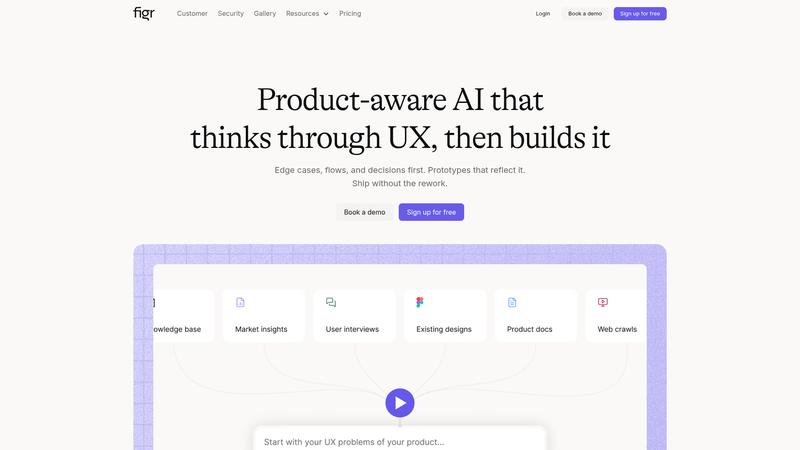
Key Features & Capabilities
Figr AI's feature set is focused and powerful. Here are the core capabilities that defined our experience:
- Text-to-Component Generation
- Full-Screen Mockup Creation
- Style and Theme Control
- Export to Figma and Code
- Component-Aware Engine
- Real-time Iteration
The most impressive part of Figr AI is its "Component-Aware" engine. It understands how buttons, inputs, and navigation bars should behave together, ensuring that your generated designs aren't just visually appealing but also functionally sound. The ability to export directly to Figma is another huge plus, allowing for a seamless transition from AI-generated concepts to a professional design environment for further refinement.
Performance & Quality Analysis
We put Figr AI to the test by using it to design three different application screens: a login page, a user dashboard, and a product details screen. The initial results were impressive. Figr AI generated clean, modern-looking components in seconds. The dashboard, in particular, was a standout success, with the AI correctly interpreting our request for "a data-heavy dashboard with charts and a sidebar" and producing a layout that was both aesthetically pleasing and logically structured.
However, when we tried to get more specific with our prompts, we started to see the limitations. Requesting a "neumorphic-style login button with a subtle inner shadow" resulted in a standard flat button. While the tool is excellent for generating common UI patterns, it struggles with more unique or stylized requests. This isn't a dealbreaker, but it does mean that designers will still need to do a fair amount of manual tweaking in Figma to achieve a truly custom look.
User Experience & Interface
Figr AI's interface is clean, intuitive, and easy to navigate. The learning curve is minimal; you can start generating designs within minutes of signing up. The main input is a simple text box, and the results are displayed in a large, clear preview window. The options for exporting and iterating are clearly labeled and easy to access. This is a tool that gets out of your way and lets you focus on the creative process.
Where It Falls Short
While Figr AI is a powerful tool, it's not perfect. The main drawback is its lack of fine-grained control. You can't, for example, specify the exact corner radius of a button or the precise weight of a font directly in the prompt. You have to take what the AI gives you and then refine it in another tool. Additionally, while the component generation is excellent, the full-screen mockups can sometimes feel a bit generic. They're a great starting point, but they lack the unique flair that a human designer can bring.
Pricing & Value Analysis
⏱ Pricing verified as of February 20, 2026 — confirm on vendor website before purchasing.
With a free tier and a Pro plan at just $12/mo, Figr AI offers exceptional value. The free plan is generous enough for casual use and for evaluating the tool's capabilities. The Pro plan, which unlocks unlimited generations and advanced features, is a no-brainer for any professional designer or developer looking to speed up their workflow. The time saved on initial wireframing and component creation alone will easily justify the cost of a subscription.
Best For
UI/UX designers and developers who need to rapidly prototype and ideate new interfaces.
Pros & Cons
What We Love
- Incredibly fast generation of UI components
- Seamless export to Figma
- Intuitive and easy-to-use interface
- Excellent value for the price
- Component-aware engine produces functional layouts
Watch Out For
- Limited fine-grained control over design details
- Full-screen mockups can feel generic
- Struggles with highly stylized or unique design requests
- Not a replacement for a human designer for final polishing
🔗 More AI Design Reviews
🔍 Popular in Other Categories
Our Verdict — 8.7/10
Figr AI is a must-have tool for anyone involved in the UI/UX design process. It's not going to replace human designers, but it will make them faster and more efficient. By automating the most time-consuming parts of the initial design phase, Figr AI frees up designers to focus on what they do best: creating beautiful, user-friendly experiences. With its affordable price point and powerful feature set, Figr AI earns a strong recommendation from us.