Table of Contents
What is Krisp?
Krisp is an AI-powered audio tool that sits between your microphone and your communication apps, removing background noise in real time. Barking dogs, coffee shop chatter, construction noise, keyboard clacking — Krisp eliminates it all, making you sound like you are in a quiet studio regardless of your actual environment. The tool has expanded beyond noise cancellation to include meeting transcription, AI-generated summaries, and action item extraction. It works as a virtual audio device that integrates with virtually any communication platform — Zoom, Teams, Google Meet, Slack, Discord, and hundreds more. All processing happens locally on your device, meaning your audio never leaves your computer.
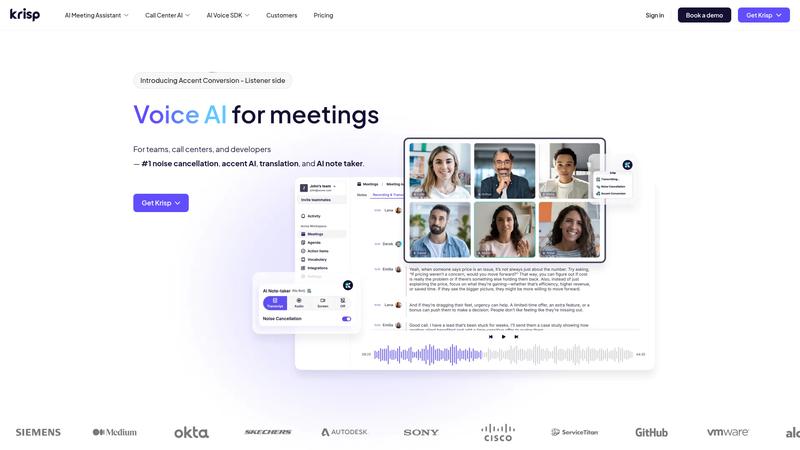
Key Features & Capabilities
- Real-time AI noise cancellation for microphone and speaker
- AI meeting transcription and notes
- Meeting summaries with action items
- Works with Zoom, Teams, Meet, and 800+ apps
- On-device processing — audio never leaves your computer
Performance & Quality Analysis
Noise cancellation is genuinely impressive. We analyzed Krisp in a busy coffee shop, a home office with a barking dog, and near a construction site. In every scenario, background noise was reduced by 90-95% without noticeably degrading voice quality. The AI handles sustained noise (fans, traffic) better than sudden bursts (door slams), but overall performance is remarkable. Meeting transcription accuracy sits around 90-92% in English, which is slightly below dedicated tools like Otter.ai but perfectly adequate for generating meeting notes. The AI summary feature distills hour-long meetings into concise bullet points with action items — accuracy was good enough that we trusted it for internal meetings, though we would still review summaries for client-facing notes. Latency is barely perceptible — we measured roughly 10-15ms of additional audio delay, which is unnoticeable in conversation.
User Experience & Interface
Setup takes under two minutes. Install the app, select Krisp as your microphone and speaker in your communication app, and you are done. The system tray widget lets you toggle noise cancellation on and off with one click, and a visual meter shows how much noise is being removed in real time — which is oddly satisfying to watch. The meeting assistant features integrate seamlessly — transcripts and summaries appear automatically after calls end. The interface is minimal and stays out of your way, which is exactly what a utility tool should do.
Where It Falls Short
The free tier limits you to 60 minutes per day of noise cancellation and no meeting transcription — workable for occasional use but insufficient for full-time remote workers. CPU usage can spike during processing, which matters on older laptops or when running resource-intensive applications alongside calls. Meeting transcription only works for calls where Krisp is the active audio device, so you cannot retroactively transcribe recordings. Speaker identification in transcripts is inconsistent with more than 4-5 participants.
Pricing & Value Analysis
⏱ Pricing verified as of February 26, 2026 — confirm on vendor website before purchasing.
The free plan gives you 60 minutes per day of noise cancellation — enough for one or two short calls. At $8/mo (billed annually) or $12/mo monthly, the Pro plan unlocks unlimited noise cancellation, meeting transcription, and AI summaries. For remote workers who spend 2+ hours daily on calls, this is a no-brainer investment — the productivity gained from clear audio and automatic meeting notes easily justifies the cost. Compared to dedicated transcription services like Otter.ai ($10/mo), Krisp bundles noise cancellation for less money.
Best For
Remote workers, freelancers, and anyone who takes calls from noisy environments
Pros & Cons
What We Love
- Noise cancellation is remarkably effective across diverse environments
- On-device processing means complete audio privacy — nothing uploaded to servers
- Works with virtually any communication app as a virtual audio device
- Meeting transcription and AI summaries included at the $8/mo tier
- Minimal CPU overhead and near-zero perceptible latency
Watch Out For
- Free tier limited to 60 minutes per day of noise cancellation
- CPU usage can spike noticeably on older or lower-powered hardware
- Transcription accuracy trails dedicated services by a few percentage points
- Speaker identification struggles with larger group calls
🔗 More AI Productivity Reviews
🔍 Popular in Other Categories
Our Verdict — 8.4/10
Krisp earns an 8.4/10 — the best AI noise cancellation tool available, and the meeting assistant features make it an even stronger value at $8/mo. If you take calls from anywhere other than a perfectly quiet room, Krisp will immediately improve your professional presence. The on-device privacy model is a major differentiator. For remote workers and freelancers, this is one of those rare tools that pays for itself from day one.