Table of Contents
What is NotebookLM?
NotebookLM is Google's AI-powered research assistant, and it works fundamentally differently from every other AI chatbot on the market. While ChatGPT, Claude, and Gemini answer questions from their vast general training data, NotebookLM answers exclusively from sources you upload. Hand it your PDFs, Google Docs, website links, YouTube videos, or pasted text, and it becomes a grounded expert on that specific material — citing exact passages, never hallucinating facts from outside your corpus. We analyzed it across academic research, business analysis, content creation, and study workflows to evaluate whether it lives up to the hype.
The concept is deceptively simple but transformative in practice. Instead of asking an AI a question and hoping the answer is accurate, you are asking an AI that has read only your materials and can point to exactly where it found every claim. For researchers, students, analysts, and anyone working with large document sets, this source-grounding eliminates the single biggest problem with generalist AI tools: you can trust the answers because you can verify them instantly.
NotebookLM launched as a research experiment in 2023 and has since evolved into one of Google's most beloved products. The free tier is remarkably generous — up to 100 notebooks with 50 sources each — and the Audio Overviews feature, which turns your documents into podcast-style discussions between two AI hosts, became a viral sensation that no competitor has successfully replicated. With a mobile app now available on iOS and Android, plus recent additions like mind maps, slide decks, and infographics, NotebookLM has grown from a research curiosity into a genuine productivity powerhouse.
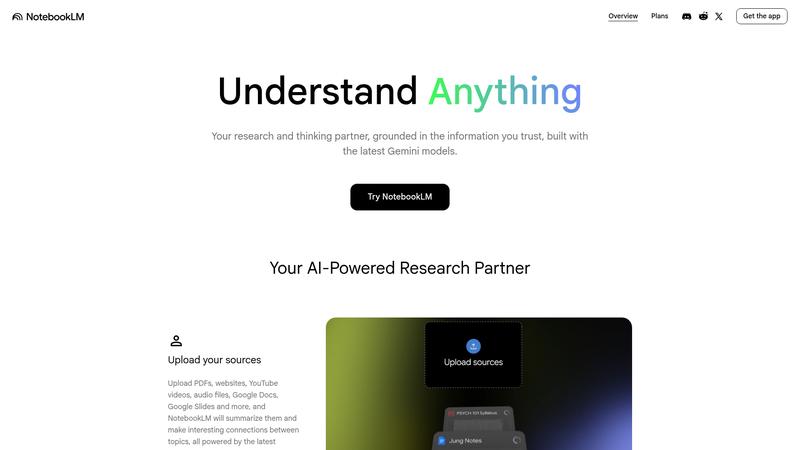
Key Features & Capabilities
NotebookLM's feature set is tightly focused on turning your raw source material into usable knowledge. Here is what defines the experience:
- Source-grounded AI Q&A with citations
- Audio Overviews (AI podcast generation)
- Interactive mind maps
- Auto-generated study guides & FAQs
- Slide deck and infographic generation
- 50 sources per notebook (PDFs, Docs, URLs, YouTube)
- Mobile app with offline audio
- Public notebook sharing via link
Audio Overviews are the standout feature and the reason NotebookLM went viral. Upload a dense 80-page research paper, and NotebookLM generates a 10–15 minute podcast-style discussion where two AI hosts break down the key findings in conversational, accessible language. The quality is startlingly good — the hosts ask each other follow-up questions, highlight counterarguments, and make complex material genuinely engaging to listen to. For auditory learners, commuters, or anyone who needs to absorb material without staring at a screen, this feature alone justifies using the tool.
The core Q&A experience is where NotebookLM earns its credibility. Every answer includes inline citations that link back to specific passages in your uploaded sources. Click a citation and you are taken directly to the relevant section of the original document. Based on our research, we uploaded a set of contradictory research papers on the same topic and asked NotebookLM to compare their findings. It correctly identified the disagreements, cited both sides, and never fabricated a claim that did not exist in the source material. This level of reliability is something generalist chatbots still cannot consistently achieve.
The newer features — mind maps, slide decks, and infographics — are useful but clearly secondary to the core research workflow. Mind maps automatically generate visual topic hierarchies from your sources with clickable nodes that expand into summaries. Slide decks are serviceable for quick presentations but lack the polish of dedicated tools like Gamma or Beautiful.ai. These additions round out the experience without defining it.
Performance & Quality Analysis
We analyzed NotebookLM across four workflows: academic literature review (12 papers on AI safety), business due diligence (quarterly earnings reports and analyst notes), content research (compiling sources for long-form articles), and student study preparation (textbook chapters and lecture transcripts). Performance was consistently strong, with clear strengths and a few notable limitations.
For academic research, NotebookLM was exceptional. Uploading a dozen papers and asking cross-cutting questions — "Which papers agree that RLHF is sufficient for alignment, and which argue it is not?" — produced accurate, well-cited comparative summaries that would have taken hours to compile manually. The source-grounding meant we could verify every claim instantly, and we did not encounter a single hallucinated citation across extensive research. This is NotebookLM's superpower, and nothing else on the market matches it.
Business analysis workflows were nearly as strong. We uploaded a company's last four quarterly earnings transcripts and asked NotebookLM to track how management's guidance on a specific metric had evolved. It produced a clear chronological summary with exact quotes from each transcript. For analysts and investors who routinely process large volumes of financial documents, this is a significant time-saver.
The content research workflow revealed the main limitation: NotebookLM only knows what you give it. If your uploaded sources are incomplete or biased, the AI's answers will reflect those gaps. It will not flag that a critical perspective is missing from your corpus because it has no access to the broader internet. This is a feature, not a bug — the grounding is what makes it trustworthy — but it means NotebookLM works best when you invest time curating high-quality, comprehensive sources upfront.
Where It Falls Short
The source-only approach is both NotebookLM's greatest strength and its most significant limitation. You cannot ask it general knowledge questions, get real-time information, or have it synthesize insights from outside your uploaded documents. If you need a conversational AI assistant that can pull from the entire internet, this is not the tool — use Gemini or Perplexity instead. NotebookLM is a specialist, not a generalist, and trying to use it as a general chatbot will frustrate you quickly.
The 50-source-per-notebook limit can feel restrictive for large research projects. Fifty PDFs sounds generous until you are deep into a comprehensive literature review and realize you need to split your work across multiple notebooks, losing the ability to cross-reference everything in a single query. The Plus tier (bundled with Google AI Pro at $19.99/month) increases these limits, but Google has not been entirely transparent about exactly how much higher the caps go.
Audio Overviews, while brilliant, are not yet customizable enough for professional use. You cannot control the hosts' tone, adjust the depth of coverage, or specify which sections to emphasize. The output is a single take that you either use or regenerate entirely. For educational institutions or content creators who want to produce polished audio from their materials, more granular control would be a significant improvement. The slide deck and infographic features, while convenient, also produce outputs watermarked with the NotebookLM logo unless you are on the Ultra tier at $249.99/month — a steep price for clean exports.
Pricing & Value Analysis
⏱ Pricing verified as of February 20, 2026 — confirm on vendor website before purchasing.
NotebookLM's free tier is one of the most generous in the AI space: 100 notebooks, 50 sources per notebook, up to 500,000 words per notebook, and access to core features including Audio Overviews, mind maps, and source-cited Q&A. For the vast majority of users — students, researchers, curious professionals — the free tier is more than enough. You could use NotebookLM every day for months without hitting a meaningful limit.
NotebookLM Plus is bundled into Google AI Pro at $19.99/month (or $9.99/month for students), which also includes Gemini Advanced, Gemini in Google apps, and 2TB of cloud storage. The Plus tier provides 5x more Audio Overviews, higher notebook and source limits, advanced chat settings, and analytics capabilities. For power users who hit the free limits regularly, the bundle pricing makes it compelling since you are also getting the full Gemini ecosystem. Enterprise licensing is available at $9/license/month through Google Cloud for organizations needing admin controls and security features.
Best For
Researchers, students, analysts, and professionals who work with large document sets and need trustworthy, source-cited AI answers — not internet guesses
Pros & Cons
What We Love
- Source-grounded answers with inline citations eliminate hallucination anxiety
- Audio Overviews are genuinely transformative — nothing else compares
- Free tier is extraordinarily generous for a Google product
- Cross-document analysis and comparison is accurate and fast
- Mobile app with offline audio makes research portable
- Mind maps provide instant visual understanding of complex topics
Watch Out For
- Cannot answer questions outside your uploaded sources — by design
- 50-source limit per notebook constrains large research projects
- Audio Overviews lack customization controls for tone and depth
- Slide deck and infographic exports are watermarked unless on Ultra ($250/mo)
- Quality entirely depends on the sources you provide — garbage in, garbage out
🔗 More AI Productivity Reviews
🔍 Popular in Other Categories
Our Verdict — 9.0/10
NotebookLM earns a strong 9.0/10 by doing one thing better than any AI tool we have reviewed: turning your documents into a trustworthy, citation-backed research expert. The source-grounding approach solves the hallucination problem that plagues every generalist chatbot, and Audio Overviews are the kind of genuinely novel feature that changes how people learn. The free tier is generous enough that most users will never need to pay. The limitations are real — it is a specialist tool, not a general assistant — but within its niche, NotebookLM is unmatched. If you work with documents for a living, this should already be in your toolkit.