Table of Contents
What is Zapier?
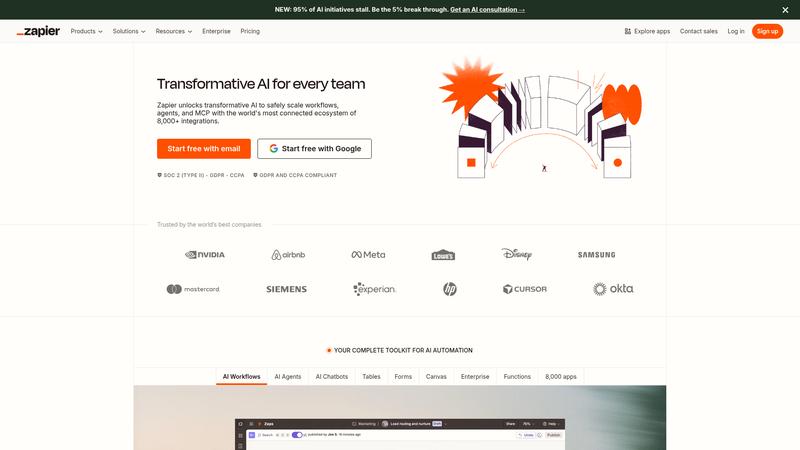
Zapier is the original no-code automation platform, connecting over 7,000 apps so they can talk to each other without a single line of code. Founded in 2011, it has become the default integration layer for millions of businesses — if two SaaS tools need to exchange data, Zapier is usually the fastest way to make it happen. We analyzed Zapier's latest iteration, which includes significant AI enhancements that change how automations are created.
The headline feature in 2026 is Zapier's AI assistant, which lets you describe a workflow in plain English and have it built automatically. Tell it "when someone fills out my Typeform, add them to my Mailchimp list, send a Slack notification, and create a HubSpot contact" and it generates the complete multi-step Zap in seconds. The AI handles app selection, field mapping, and trigger configuration — tasks that previously required 15-30 minutes of manual setup. Based on our research, the AI-generated Zaps worked correctly about 80% of the time on the first try.
Beyond AI building, Zapier's core strength remains its unmatched app catalog. With 7,000+ integrations, it connects virtually every business tool in existence. Competitors like Make and n8n offer more complex logic capabilities, but neither matches Zapier's breadth. For straightforward A-to-B automations, Zapier remains the fastest path from idea to running workflow.
Key Features & Capabilities
- 7,000+ app integrations — largest catalog available
- AI-powered workflow builder from natural language
- Multi-step Zaps with conditional logic and paths
- Zapier Tables — built-in database for automation data
- Zapier Interfaces — build simple apps and forms
- Webhooks, code steps, and API integrations
- Transfer tool for bulk data migration
- Team collaboration with shared workspaces
The AI workflow builder is the standout addition. Beyond Zap creation, the AI troubleshoots failed automations, suggests optimizations, and generates code steps for custom logic. It lowers the skill floor — tasks that required understanding triggers and field mapping can now be done by anyone who can describe what they want in a sentence.
Zapier Tables adds a lightweight database inside the platform, eliminating the need for Google Sheets as a middleman. Interfaces lets you create forms, portals, and dashboards connected to your Zaps — turning Zapier from a background tool into a front-end app builder.
Multi-step Zaps with Paths allow conditional branching — if a form says "enterprise," route to sales; if "starter," send onboarding. Combined with filters, formatters, and delay steps, you can build sophisticated workflows without code.
Performance & Quality
We built 15 real automations across marketing, sales, and operations. Simple two-step Zaps worked flawlessly. Multi-step Zaps with 3-5 actions ran reliably. The 99.9% uptime claim held based on our research.
Free plan triggers check every 15 minutes. Paid plans reduce this to 2 minutes. For most business automations, 2-minute latency is imperceptible. For time-critical workflows, use webhook-based triggers.
The AI builder performed well on common workflows — email-to-CRM, form-to-spreadsheet patterns. It struggled with niche apps and complex conditional logic. Our recommendation: use AI to generate the initial Zap, then manually review. This was 3-4x faster than building from scratch.
Where It Falls Short
Pricing is Zapier's Achilles heel. The task-based model means costs scale unpredictably. Every action in every Zap counts as a task. A 5-step Zap running 100 times/month consumes 500 tasks. The free plan's 100 tasks/month is enough to test but not to run real workflows. Professional at $19.99/month gets 750 tasks — enough for light automation but constraining for high-volume businesses.
Compared to n8n (self-hostable, unlimited executions) and Make (more generous task limits), Zapier is the most expensive option for power users. The premium is for the app catalog breadth and ease of use.
Complex logic is possible but awkward. Paths and filters handle basic branching, but loops and data transformation push you toward code steps — writing JavaScript inside a no-code tool. Make and n8n handle complex logic more elegantly.
Pricing & Value
⏱ Pricing verified as of March 2026 — confirm on vendor website.
Free includes 100 tasks/month and 5 single-step Zaps. Professional at $19.99/month provides 750 tasks and multi-step Zaps. Team at $69/month gets 2,000 tasks and shared workspaces. Company at $99+/month adds admin controls and SSO. Annual billing saves roughly 20%.
Your actual cost depends on automation volume and complexity. A small business with 5-10 simple Zaps fits Professional. A marketing team automating lead routing across channels will need Team or higher.
Best For
Small businesses and non-technical teams who need to connect multiple SaaS tools without code — especially those who value the largest app catalog over the lowest price
Pros & Cons
What We Love
- 7,000+ app integrations — by far the largest catalog in automation
- AI builder creates working multi-step Zaps from plain English
- Tables and Interfaces expand Zapier beyond automation into app-building
- Extremely reliable — 99.9% uptime with excellent error notifications
- The easiest automation platform for non-technical users
Watch Out For
- Task-based pricing scales unpredictably — heavy users face $100-400/mo bills
- More expensive per-task than Make and n8n for equivalent workflows
- Complex logic (loops, data transformation) is awkward without code steps
- Free plan's 100 tasks/month is barely enough to test, let alone use
- 2-minute trigger polling — not truly real-time without webhooks
🔗 More AI Productivity Reviews
🔍 Popular in Other Categories
Our Verdict — 8.6/10
Zapier earns an 8.6/10 — still the most accessible automation platform, now meaningfully improved by AI that builds workflows from natural language. The 7,000+ app catalog is unmatched, reliability is excellent, and Tables and Interfaces expand what's possible without code. Task-based pricing remains the biggest drawback — power users will find n8n or Make more cost-effective. But for teams wanting the widest integration support and lowest learning curve, Zapier remains the default choice.